 AdCritter Builder MCP
New advertiser onboarded Monday, their dashboard in the client's inbox Tuesday.
The Builder MCP hands Claude every reporting endpoint and design convention it needs to ship a client dashboard from one prompt.
- OutputOne self-contained HTML file
- WindowTwo-week rolling, scrollable
- ChannelsInternet, TV, billboard
- BackendNone. Browser calls the API.
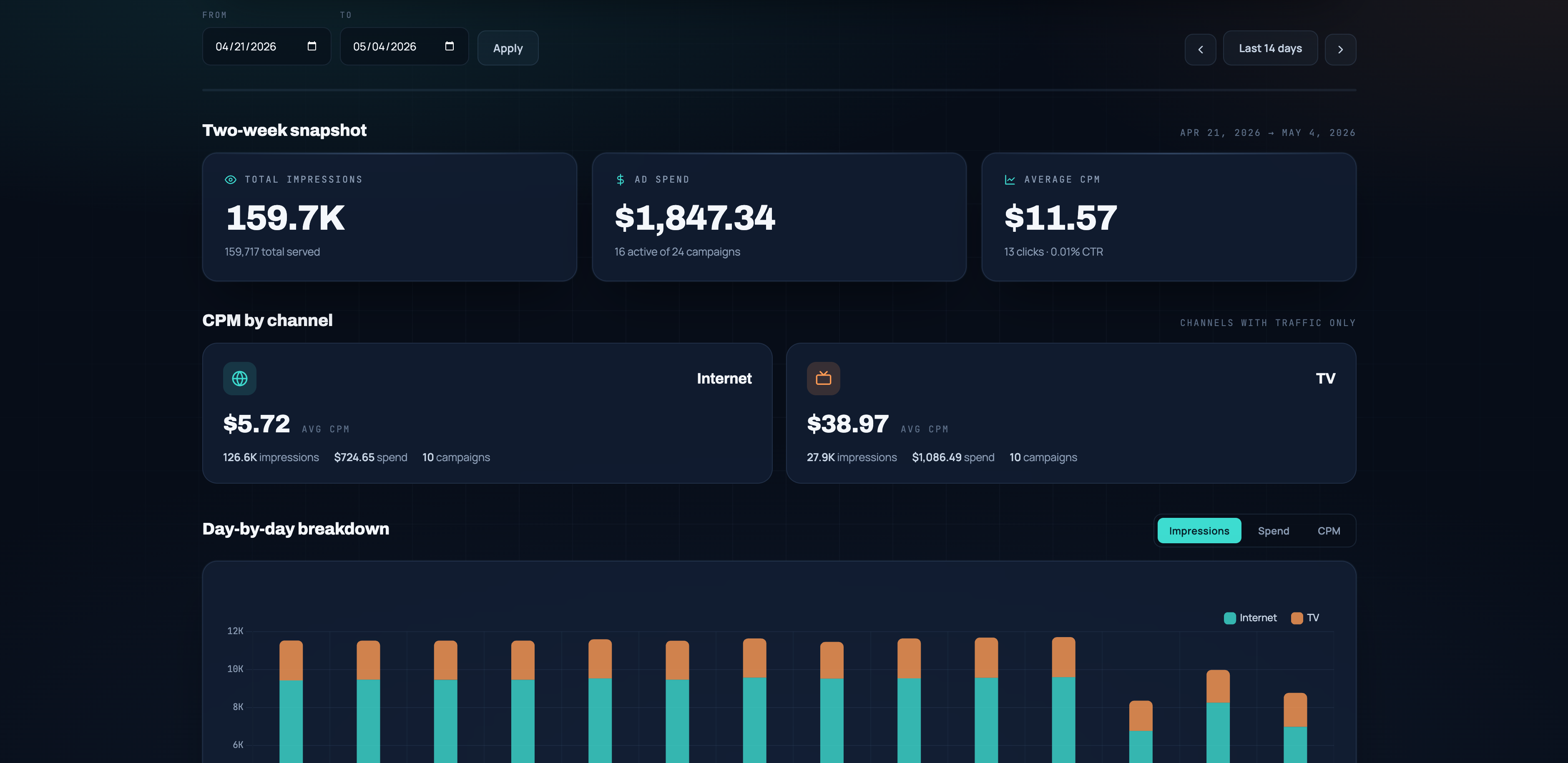
Build a single-page HTML dashboard for All You Need HVAC, a home services company. I want to enter an AdCritter API key and advertiser ID and see the last two weeks at a glance: total impressions, ad spend, average CPM broken out by channel (internet, TV, billboard, hiding any with no data), campaigns underpacing, and a list of campaigns currently live or that got traffic. Include date pickers and prev/next week buttons so I can scroll through past weeks. Be sure to use your design skills for a modern theme for an HVAC customer. Additionally include graphs for a day by day breakdown.
A few common tweaks worth knowing before you ship the workflow.
Theme it for any vertical
The HVAC palette and copy live in one CSS block and a couple of header strings. Ask Claude for 'dental practice, light theme, mint accents' or 'auto repair, dark theme, red and chrome' and you get a re-skinned file in one shot. The data layer does not change.
Lock the channels you want to show
The dashboard auto-hides channels with no data, but you can also pin a fixed channel order or drop a channel entirely. Edit the channels array near the top of the script, or ask Claude to do it for you while pointing at the same Builder MCP.
Embed it inside your portal
Drop the dashboard inside your client portal three ways: paste the markup into a React or Next route, load the file in an iframe behind your existing auth, or ask Claude to rewrite the page into your component library. The fetch logic is just /v1/advertisers/{id}/reports/...